Episode #2 – Creation of a multilingual website with xili-language

Review of previous steps

In the previous post, some important steps were defined. This post follows also the series about child theme.

The step by step is a little bit different – a child theme is now available:

  1. WordPress 3.0 installation
  2. Check that theme “twentyten” is in theme folder and add theme “twentyten-xili” :

    For xili-language 2.1.x, You must use updated twentyten-xili-v1.1 of twentyten-xili.
    twentyten-xili theme 1.0 for xili-language 1.8.9.1

    downloadable here (45kB) [Updated v 0.9.9 + japanese]. Twentyten-xili must be set as current theme like here in this website

  3. Add the file .po and .mo of target languages (here fr_FR, de_DE and es_ES)

    Can be found in sub-folder languages of theme’s folder named twentyten of each kit as below.
    http://es.wordpress.org/
    http://fr.wordpress.org/
    http://de.wordpress.org/
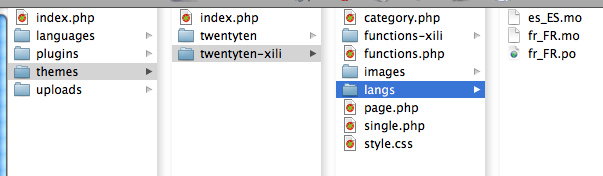
    COPY the .mo and .po files for each languages in sub-folfer ‘langs’ of CHILD theme twentyten-xili (the original will not be modified).

    The theme folder will be similar to this:

    themes folder with parent and child

    themes folder with parent and child

  4. Enabling plugins Xili-language (choice of languages) and Xili-dictionary
  5. Creating a category – such as “Actualités” then “News” and its description (“Recent news about website) BECAUSE the pivot language is English.
  6. Writing of one or two articles in French and / or English – we will learn to link if their content is the translation – adaptation of the other.
  7. Adding widgets Xili-specific language – settings…
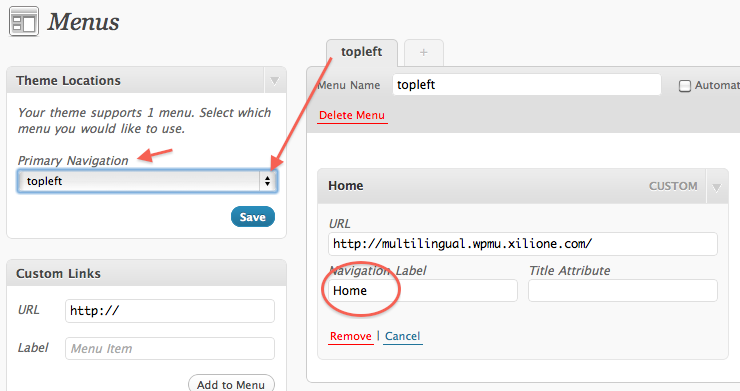
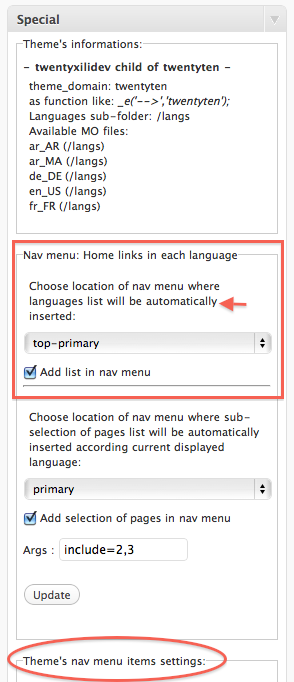
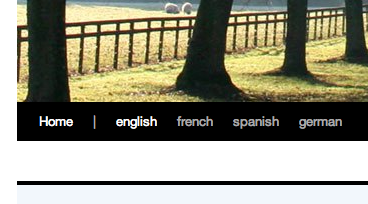
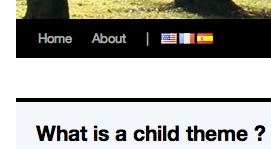
  8. Customizing the new menu system of the header (wp_nav_menu)
  9. Contents of Navigation menu
  10. Tags and plugin Xili-tidy-tags.

Steps 1 to 6 are easy, but we will spend time at step 4 and 6. The sixth because there are some useful tips for authors in multilingual context.
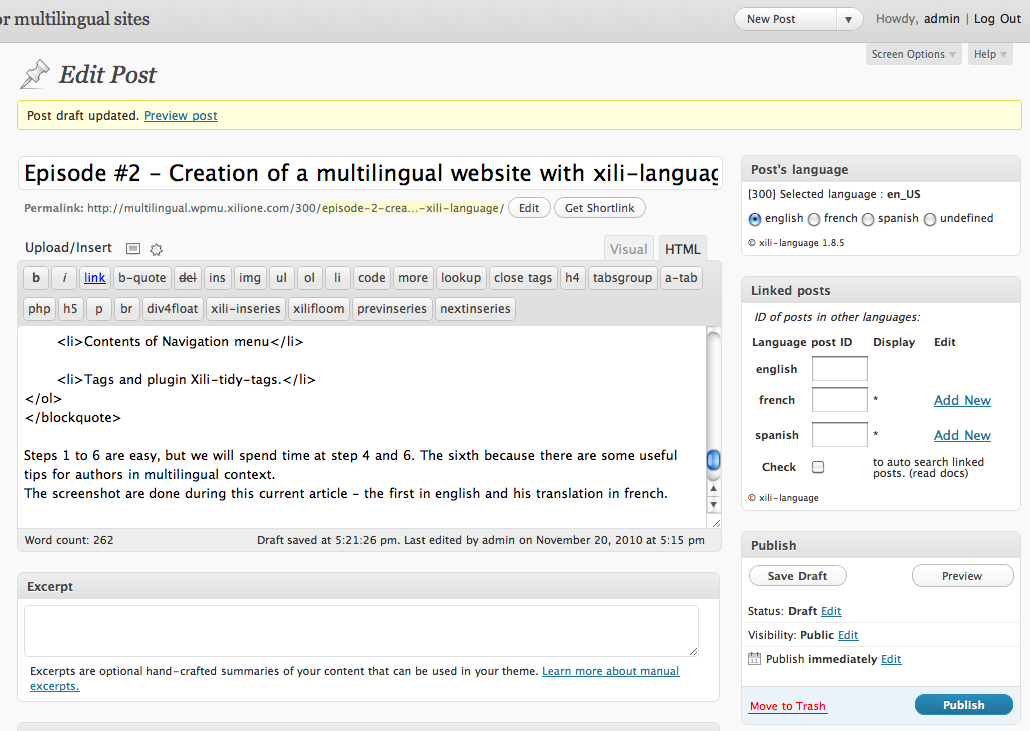
The screenshot are done during this current article – the first in english and his translation in french.

Adding new post

Adding new post

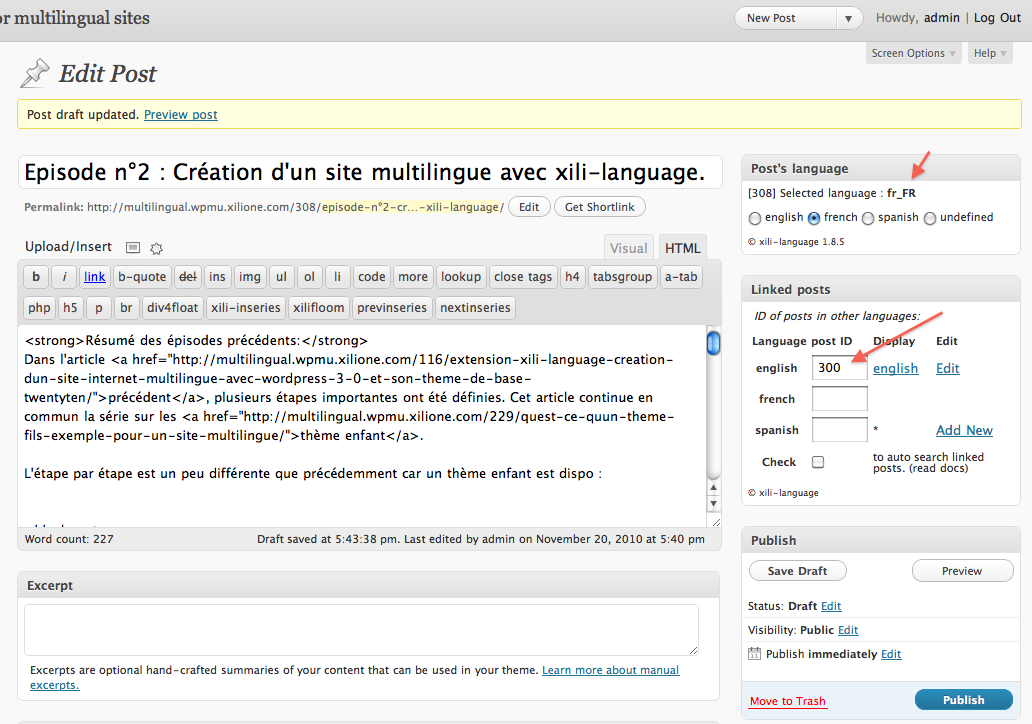
Because, I currently write the both version, I will open a new tab in the browser by clicking Add New at french line in Linked posts box at left (I use right button of the mouse and select ‘Open link in new tab’) .

In the new tab, we see that all box at left are set. French title is added and body text…

edit post: french side

edit post: french side

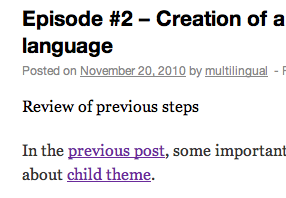
After full editing and saving, when post displayed as single the terms around this are translated according language of the displayed post.

meta sub-title in english

meta sub-title in english


les infos traduites

les infos traduites

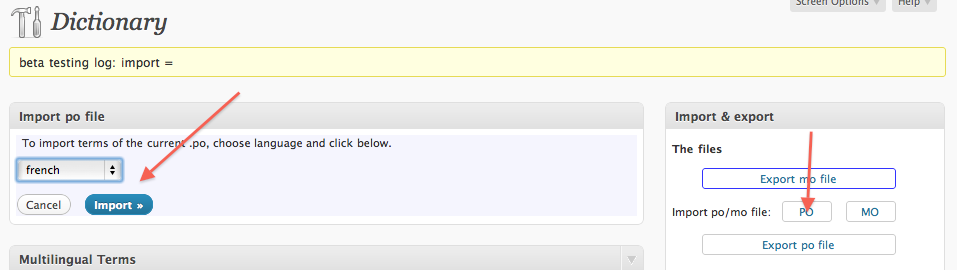
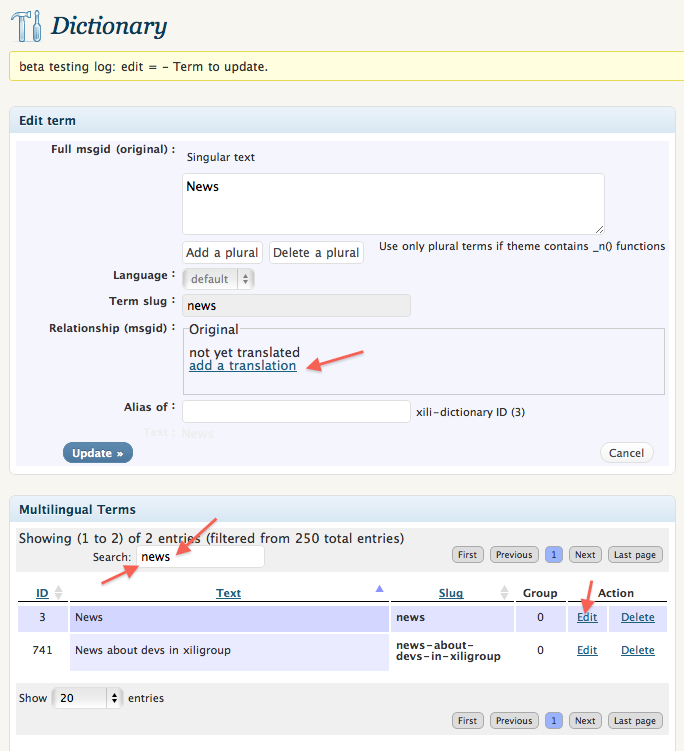
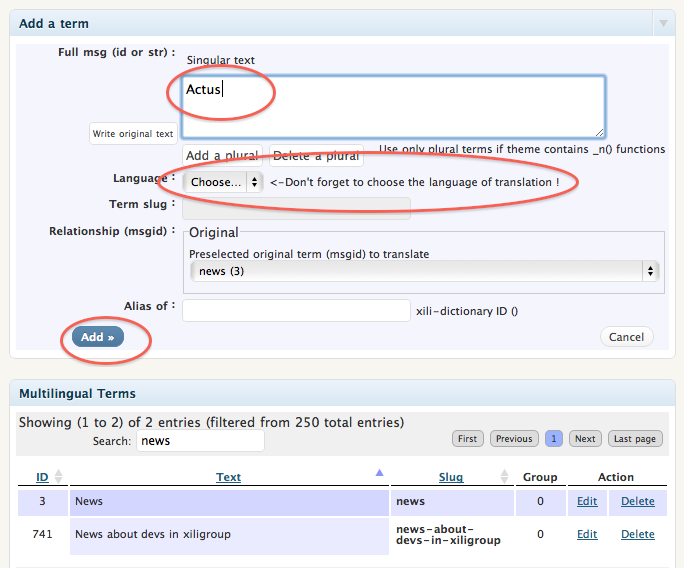
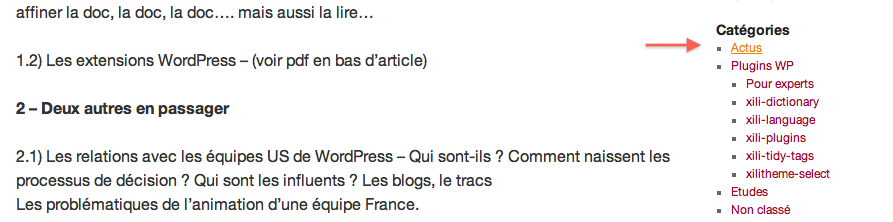
At next step, we will see how to complete the translation for terms as in categories or menus or description…

Posted in How to | Tagged , , , , | 14 Comments

Child theme : the file functions.php

In child theme the file functions.php is an important file. Contrary to other files, it don’t “cancel” the functions available in functions.php of parent theme. Be aware of that !
With this below example (used in dev.xiligroup.com), some important things will be presented :

<?php
/* functions for child of twentyten */
function twentyxilidev_setup () {
	register_nav_menus( array(
		'top-primary' => __( 'Top-Primary Navigation', 'twentyten' )
	) );
	load_theme_textdomain( 'twentyten', STYLESHEETPATH . '/langs' );
 
	$xili_functionsfolder = get_stylesheet_directory() . '/functions-xili' ; 
	if (file_exists($xili_functionsfolder . '/multilingual-functions.php') && class_exists('xili_language')) {
		require_once ($xili_functionsfolder . '/multilingual-functions.php');
 
	}
 
}
 
/* actions */
add_action( 'after_setup_theme', 'twentyxilidev_setup', 11 ); // after the parent
add_action('wp_head', 'special_head');
 
if(!is_admin()) {
	add_action('wp_print_scripts', 'xilifloom_theme_header');
	add_action( 'wp_print_scripts','scripts_add',20 );
}
 
define('XILI_CATS_ALL','0');
 
function special_head() {
	global $post; // for sliding
	// to change search form of widget
	if ( is_front_page() || is_category() || is_search() )
	 	add_filter('get_search_form', my_langs_in_search_form,10,1); // in multilingual-functions.php
}
 
// ....

The first function ‘twentyxilidev_setup’ call by the action after_setup_theme is important. Inside, a nav menu area is added. By re-loading text domain, the files .mo inside subfolder of child are used.
This add_action must called after the others: so order is set to 11 or more.
In extract of ‘special_head’, a filter incorporate a new radio-button series under the search input.
In this file, it is also possible to cancel widget spaces or menus space if necessary.

Here the functions.php of the twentyten-xili theme delivered in next post soon :

<?php
 
/**
 *
 *
 */
function twentyten_xilidev_setup () {
	load_theme_textdomain( 'twentyten', STYLESHEETPATH . '/langs' ); // now use .mo of child
 
	$xili_functionsfolder = get_stylesheet_directory() . '/functions-xili' ; 
	if (file_exists($xili_functionsfolder . '/multilingual-functions.php') && class_exists('xili_language')) {
		require_once ($xili_functionsfolder . '/multilingual-functions.php');
	}
}
 
/* actions */
add_action( 'after_setup_theme', 'twentyten_xilidev_setup', 11 );
add_action( 'wp_head', 'special_head' );
 
define('XILI_CATS_ALL','0');
 
/**
 *
 *
 */
function special_head() {
	// to change search form of widget
	if ( is_front_page() || is_category() || is_search() )
	 	add_filter('get_search_form', my_langs_in_search_form,10,1); // in multilingual-functions.php
}
 
/**
 *
 *
 */
function single_lang_dir($post_id) {
	$langdir = ((function_exists('get_cur_post_lang_dir')) ? get_cur_post_lang_dir($post_id) : array());
	if ( isset($langdir['direction']) ) return $langdir['direction'];
} 
 
 
?>

Next episode soon…

Posted in How to | Tagged , , , , | 1 Comment

Widget Links : how to sub-select bookmarks according language context ?

On this website, in footer bottom left, the links list is changing according current displayed language : how to set the widget and xili-language ?

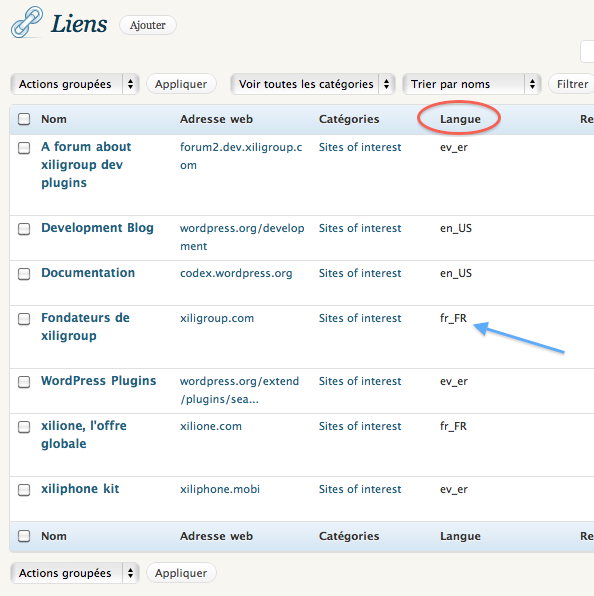
Without php coding, it is possible to do that since version 1.8.5 of xili-language. This version manages a language taxonomy for links (link_language). Link is an object as post so it is possible to create a taxonomy accordingly the language taxonomy (language) of posts. The cost is more than 100 php lines added inside the plugin to manage the UI, hooks and filters !

Links and language in links manager admin page

Links and language in links manager admin page

As for the articles, the link edit screen contains a box where you can check the language.
There is a pseudo-language ( Ever ) that exists and, assigned to a link, this link is displayed everytime.
xili-language has in Settings screen also has (if the theme is widget compatible) a box where you can choose categories of links that will have sub-selection by language.

For those who do not use widgets, template tag for theme is also customizable to integrate the sub-selection by language. Short example for php users:

<?php wp_list_bookmarks( array( 'lang'=>the_curlang()  ) ) ; ?>
Posted in How to | Tagged , , , | Leave a comment

Child theme : the file style.css

The theme folder:

folder theme and child

folder theme and child


Here only the files containing (few) modifications are present.
page.php and single.php contain an added tag to display links to other post in different languages under title.
category.php a little modification to set description translatable.
functions.php is more important and will described in next post.

The short style.css :

@charset "UTF-8";
 
/**
 * Theme Name: Twentyten Multilingual Child
 * Theme URI: http://dev.xiligroup.com/
 * Description: Twentyten based but including features for multilingual context with xili-language plugin
 * Author: dev.xiligroup.com ms
 * Author URI: http://dev.xiligroup.com/
 * Version: 0.9
 * Tags: child theme, tabs, multilingual
 * Template: twentyten
 */
 
@import url('../twentyten/style.css'); /* the most important line of the style.css of a child from his parent twentyten */
 
/* some few modifications for xili-language list */
ul.xililanguagelist {list-style: none !important ; margin-left:0 !important ;}
 
/* example in header menu if filter xiliml_infunc_language_list is on */
 
ul.menu li.lang-fr_fr a {background: transparent url('images/flags/fr_fr.png') no-repeat center 13px;}
ul.menu li.lang-en_us a {background: transparent url('images/flags/en_us.png') no-repeat center 13px;}
ul.menu li.lang-de_de a {background: transparent url('images/flags/de_de.png') no-repeat center 13px;}
ul.menu li.lang-es_es a {background: transparent url('images/flags/es_es.png') no-repeat center 13px;}
 
li.lang-fr_fr:hover > a {background:  #333 url('images/flags/fr_fr.png') no-repeat center 13px !important;}
li.lang-en_us:hover > a {background:  #333 url('images/flags/en_us.png') no-repeat center 13px !important;}
li.lang-de_de:hover > a {background:  #333 url('images/flags/de_de.png') no-repeat center 13px !important;}
li.lang-es_es:hover > a {background:  #333 url('images/flags/es_es.png') no-repeat center 13px !important;}

ul.menu li.lang-fr_fr, ul.menu li.lang-en_us, ul.menu li.lang-de_de, ul.menu li.lang-es_es {text-indent:-9999px; width:18px;}

In child theme, the most important file is style.css with the line

* Template: twentyten

and the line

@import url('../twentyten/style.css');

The advantage of child theme :

The parent theme is NOT modified.
The child theme (selected in theme settings page) is easy to maintain but need knowledge of the parent theme.
The child theme contains a language sub-folder with the .mo files.
For xili-language, when template tags are not ‘hookable’, it is easy here to add specific tags provided by the plugin.

next post

Posted in How to, News | Tagged , , , | 1 Comment

What is a child theme ? Example here for multilingual website

This post to introduce a new series of posts to explain how with few modifications and the way of child theme of twentyten theme containing just modified files, it possible to create a multilingual website. Here, the child theme is named twentyten-xili and his parent is default shipped twentyten.
In functions.php file of child theme some functions where added to improve multilingual features delivered by xili-language plugin. The child style.css is very short and contains just the lines to format languages menu automatically added to header menu and for widget added in sidebar.
Next post : the child theme content… and the advantage of this approach.

Posted in News | Tagged , , , | 2 Comments